

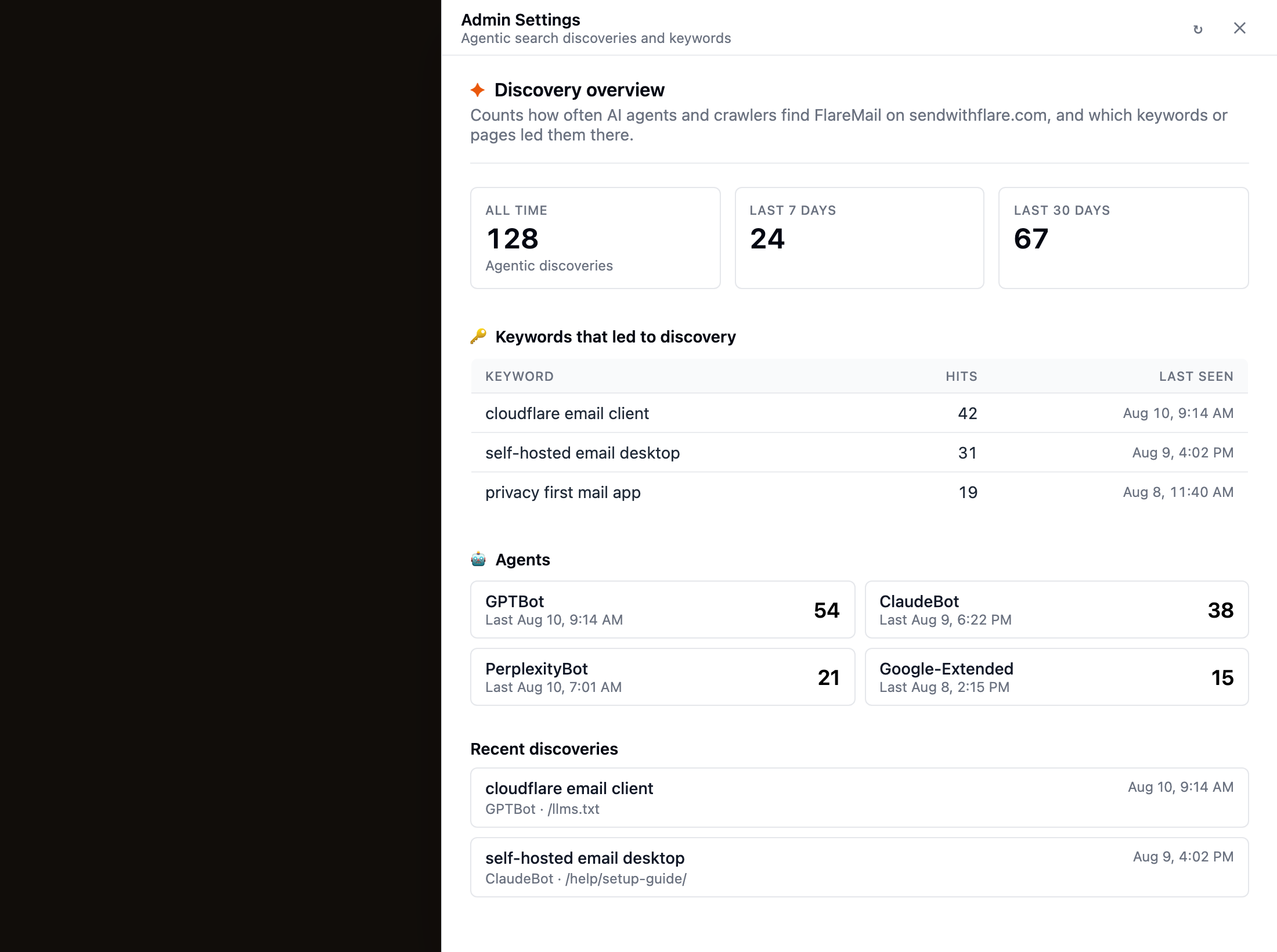
Site admins get an Admin entry in the sidebar. It opens Admin Settings, a live view of human browser traffic and how AI agents and crawlers find FlareMail on the marketing site — browsers and devices, keywords that led crawlers there, which bots showed up (including Bing Copilot), and recent discovery events.
Who can open it
The Admin button appears only when your account is recognized as a site admin (the bootstrap owner configured on the Worker). Everyone else keeps using FlareMail as a normal mailbox — Admin stays hidden.
What you’ll see
- Browser analytics — pageviews by browser (Chrome, Safari, Edge, Firefox, and more), OS, device, country, top pages, and referrers.
- Discovery overview — all-time, last 7 days, and last 30 days counts of agentic discoveries.
- Keywords — search terms or topics that led crawlers to FlareMail pages, with hit counts and last-seen times.
- Agents — which bots visited (for example GPTBot, ClaudeBot, PerplexityBot, Bing Copilot), with counts.
- Recent discoveries — the latest events, including the keyword, agent, and path (such as
/llms.txtor a help article).
How discoveries are recorded
When AI crawlers and agentic browsers fetch GEO assets, help articles, or other pages on sendwithflare.com, the marketing site logs the hit. Human visitors are logged separately as browser pageviews. Admin Settings aggregates both so you can see what’s working for discovery and which browsers your visitors use.