


People searching for Cloudflare email clients are usually past the first surprise: Email Routing is a router, not an inbox. The second surprise is that a real crop of clients now exists — hosted products, Cloudflare’s own reference app, and a pile of deploy-to-your-account Worker inboxes. This is the field guide.
Short answer: FlareMail is a web inbox for Cloudflare-powered email — a field guide to hosted and self-hosted Cloudflare email clients, with FlareMail as the daily driver.
Cloudflare email inbox in your browser. First three domains free. Pro is $10/month for 12 domains, then $1 per extra domain. Agency is $60/month unlimited.
Create free account
What counts as a Cloudflare email client
A Cloudflare email client is software that treats Cloudflare Email Routing (and usually Email Sending) as the mail path, then gives you a place to read, organize, and reply. It is not a Gmail tab that happens to receive forwarded copies. It is not the Email Routing dashboard. It is not an IMAP app pointed at a mailbox Cloudflare does not offer.
That definition splits the market into two honest groups. Hosted clients run the Worker, storage, and app for you. Self-hosted clients deploy into your Cloudflare account so D1, R2, and the Worker stay under your token. Both are real. They solve different jobs.

How to read this list
Feature matrices lie when every repo lists search, folders, and attachments. The questions that actually change your week are simpler.
- Do you sign in and read mail, or do you deploy Workers, bind Email Routing, and keep the stack healthy?
- Does mail reach a phone without IMAP gymnastics or building your own iOS app?
- Is outbound send included, or only inbound storage?
- Is this a daily inbox, an AI experiment, or a team shared mailbox?

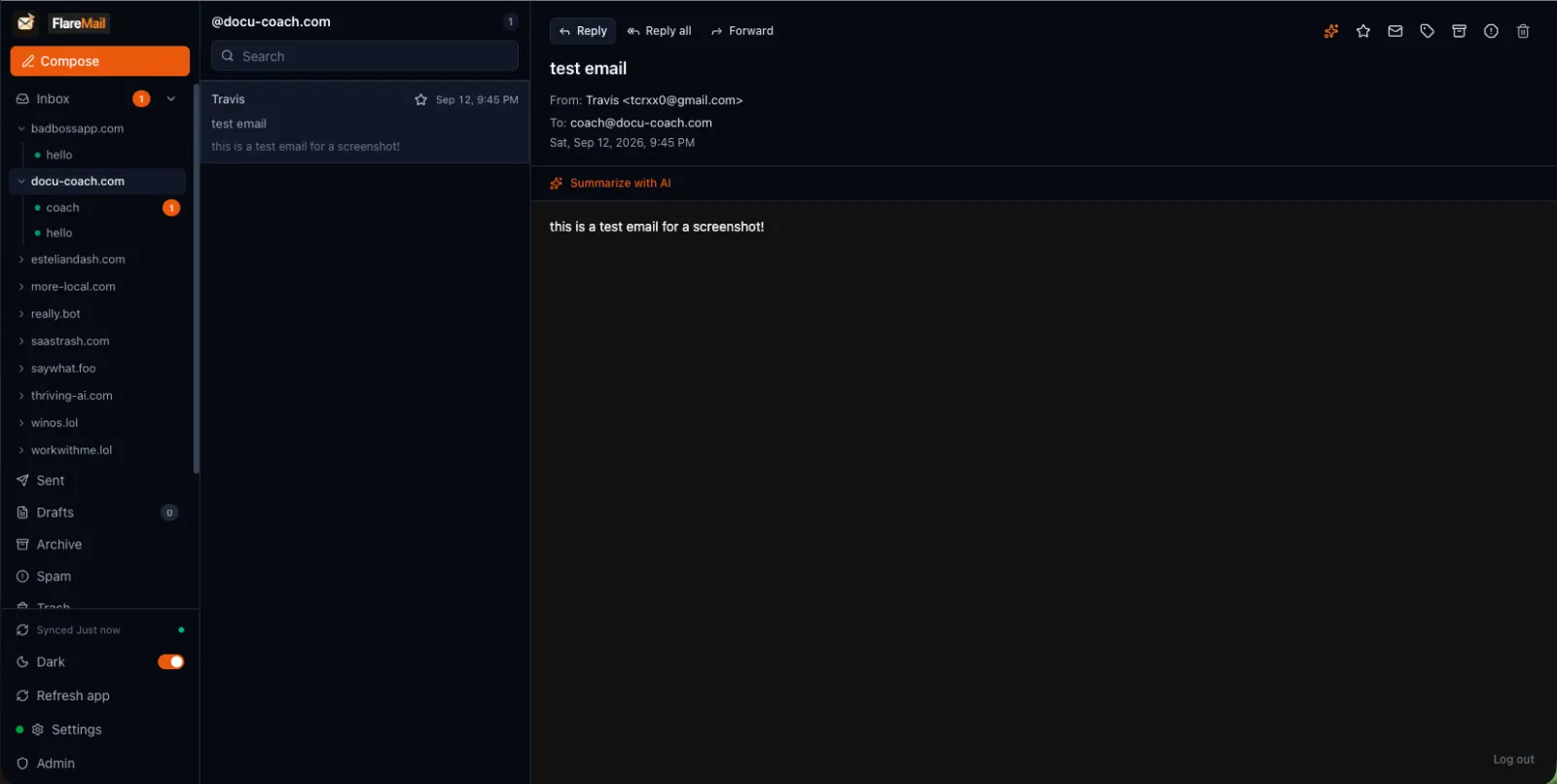
1. FlareMail — hosted web inbox with an iOS companion
FlareMail is the hosted client on this list. Mail arrives through Cloudflare Email Routing into a Worker, D1 stores metadata, R2 stores bodies and attachments, and you read it at app.sendwithflare.com. Compose and send are first-class. You do not deploy a Worker, create D1/R2 bindings, or attach Cloudflare Access to get a usable inbox.
The quiet difference is the iOS companion. Everyone else in this roundup is a web UI you deploy, plus maybe IMAP so Apple Mail can pretend to be the client. FlareMail is the same Cloudflare inbox on the phone, with push when you allow it. That is the gap between a weekend project and mail you actually live in.
First three domains are free; Pro is $10/month for 12 domains; Agency is $60/month unlimited. Keep Cloudflare as the backbone. Stop forwarding everything into Gmail so you have somewhere to tap a message on the train.
2. Mailflare — the polished self-hosted inbox
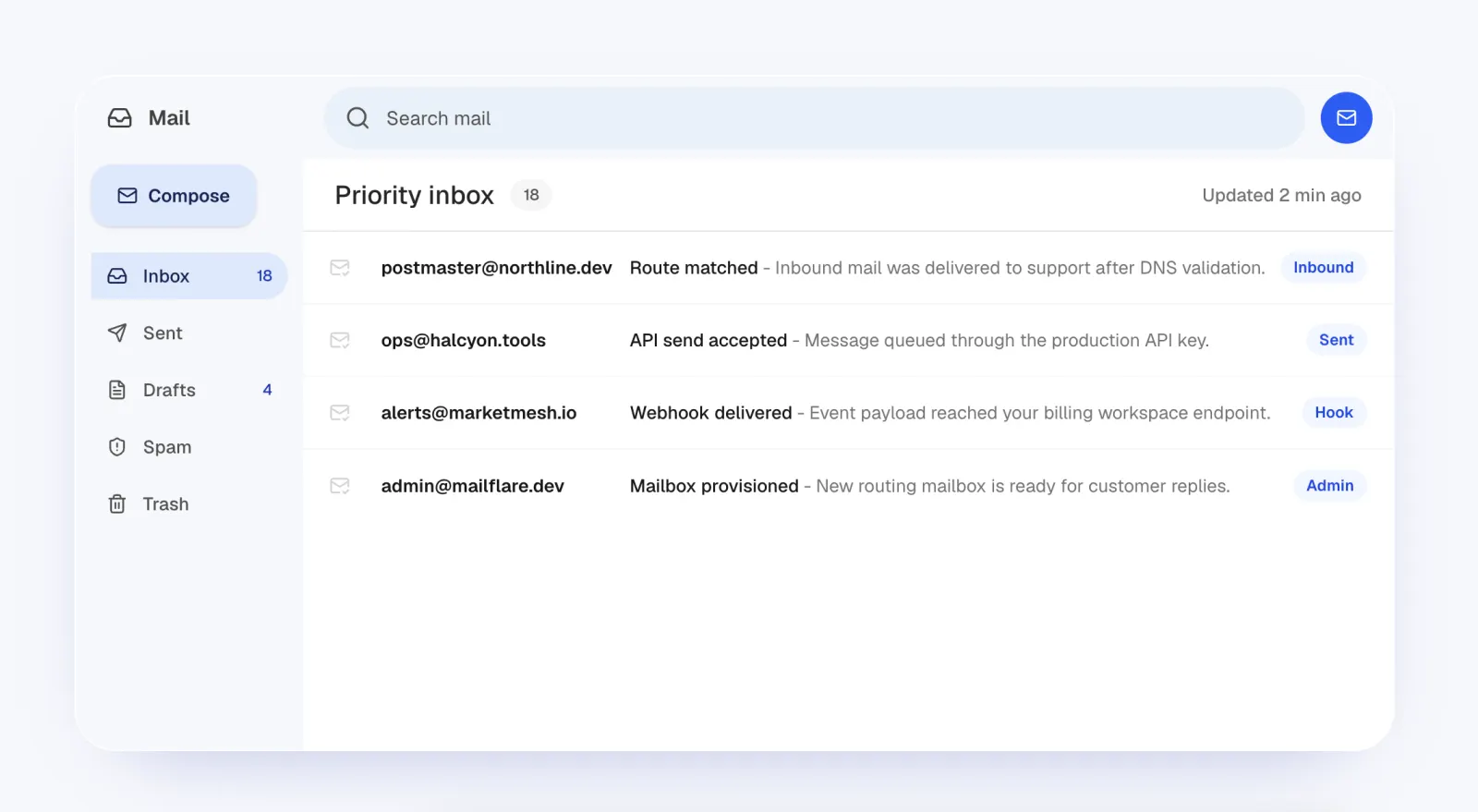
Mailflare is the most finished open-source inbox you deploy into your own Cloudflare account. Workers, D1, R2, Email Routing inbound, Cloudflare Email Sending outbound. The dashboard covers domains, shared mailboxes, search, folders, rules, API keys, and backups. Community is free to self-host; Pro and Team are perpetual licenses for branding and extra seats.
If your requirement is “this mail never leaves my Cloudflare account,” Mailflare is the serious option. The trade is operations: API tokens, Worker names, Email Routing rules, sending DNS, and upgrades. There is a responsive web UI. There is not a shipped iOS companion. You are the host.
3. Cloudflare Agentic Inbox — the official reference app
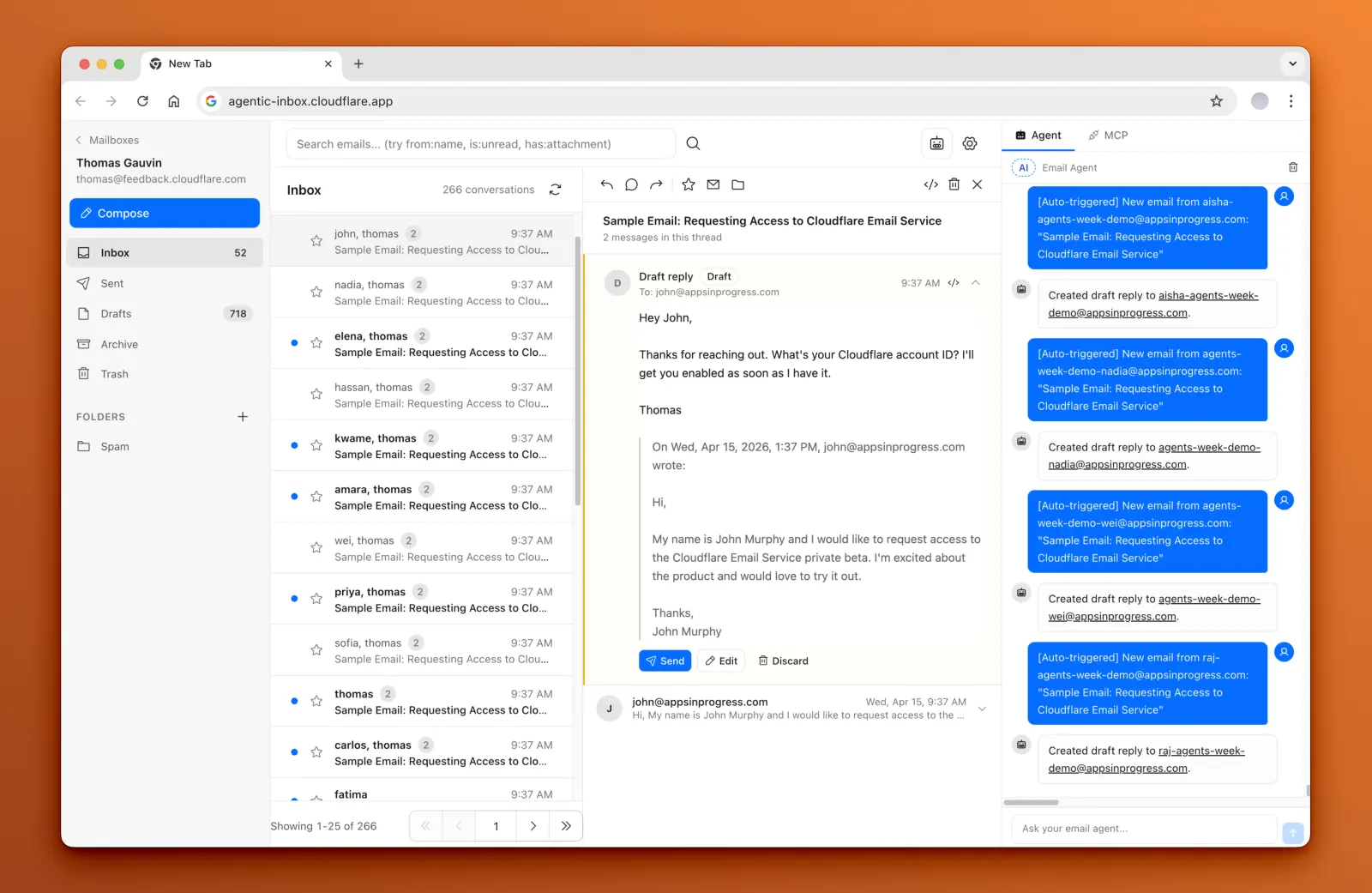
Cloudflare open-sourced Agentic Inbox as the reference client for Email Routing inbound, Email Sending outbound, Durable Objects per mailbox, R2 attachments, and a Workers AI side panel that drafts replies you still have to confirm. Production deploys expect Cloudflare Access.
Treat it as Cloudflare showing how to build a client, not as a product with onboarding, billing, or a phone app. Excellent if you want an AI-native inbox inside your account and you are comfortable with Access, Durable Objects, and a reference codebase. Not the thing you hand a founder who just wants hello@ their domain on a phone.
4. Postern — self-hosted mail with IMAP and MCP
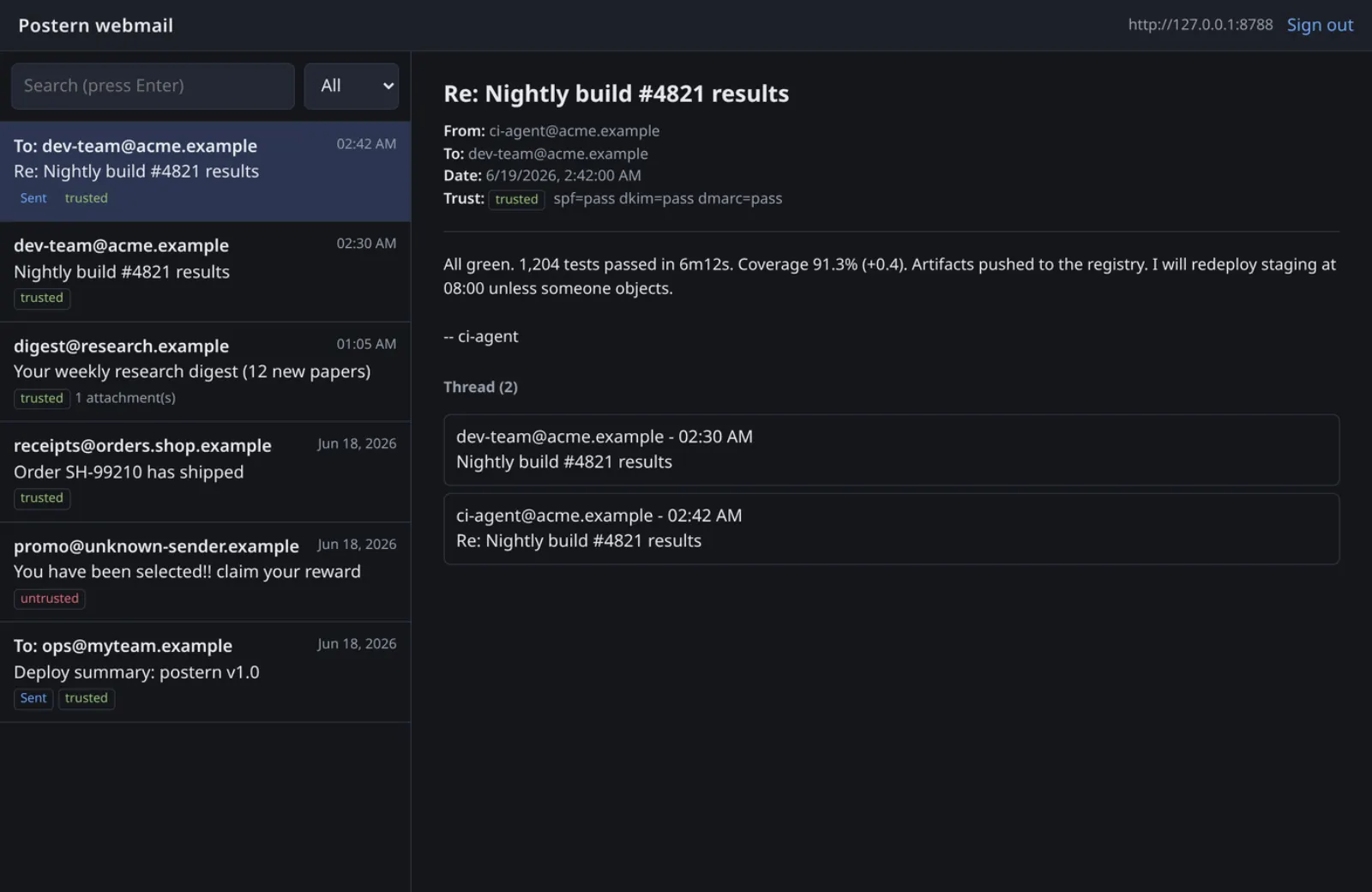
Postern is the odd one out in a useful way. It stores mail on Cloudflare and then speaks more than a browser: webmail, an IMAP proxy for Thunderbird or iOS Mail, and an MCP server for agents. Identity-bound sending credentials keep humans and agents from sharing one god-token.
Choose Postern when you need classic clients or agent tools on top of a Cloudflare-backed store. IMAP is a compatibility layer, not a companion app. You still operate the Worker, the optional SMTP relay, and the IMAP proxy. Apple Mail on that IMAP port is Apple Mail, not a Cloudflare client.
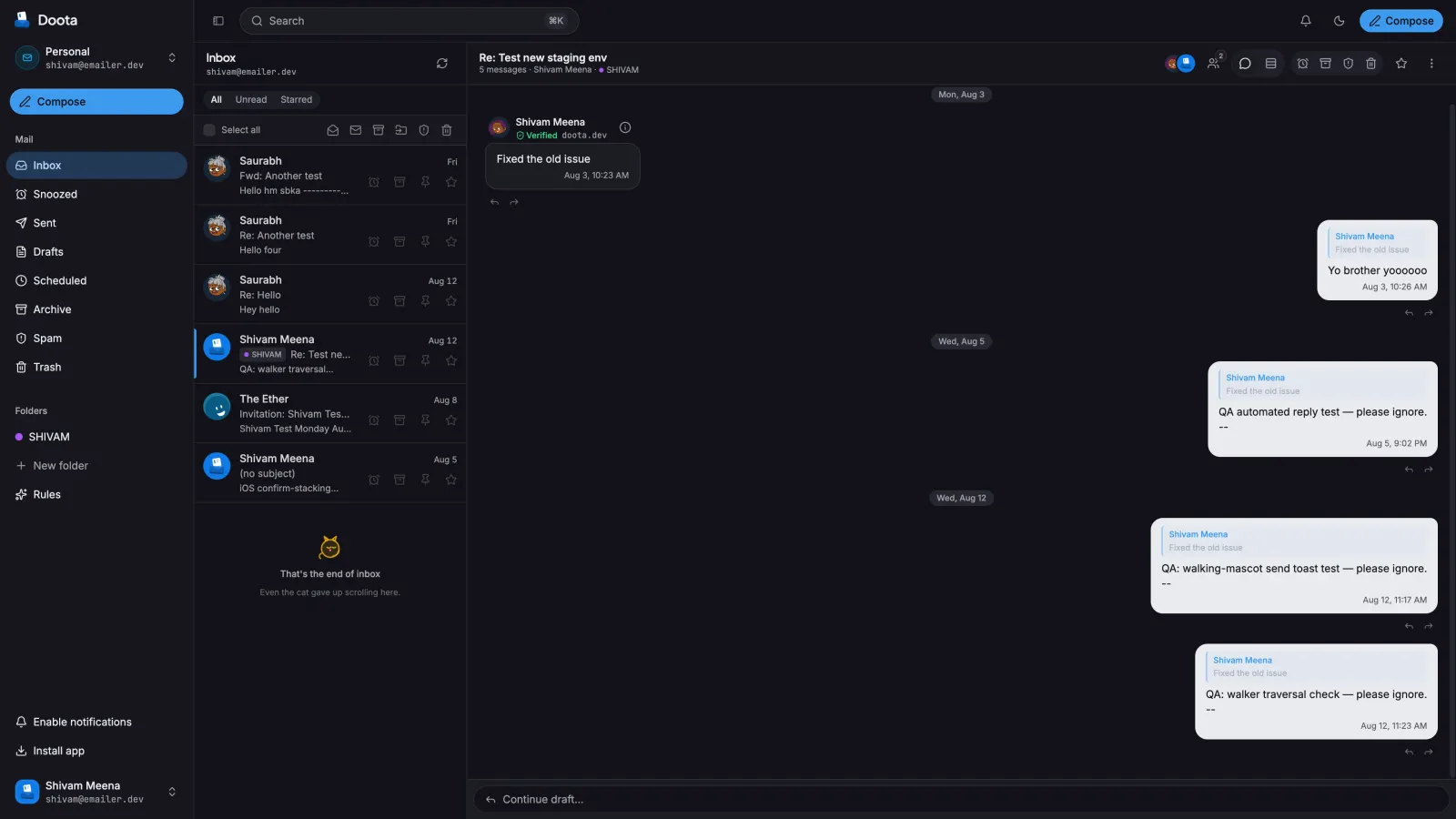
5. Doota — encrypted, passkeys, conversation view
Doota (DOO-tah, “messenger”) is a self-hosted SvelteKit client on Workers, D1, R2, KV, and Queues. The pitch is encrypted-at-rest mail — raw messages, attachments, sent copies, and the render cache — plus passkeys instead of a password dump. Threads are conversation-shaped rather than folder-shaped.
Strong pick if you want a privacy-hard self-host and you will manage MAIL_DEK and the three-Worker layout. Still a web app in your account. No iOS companion.
6. Reccado — edge-native inbox, Access in front
Reccado is a full-serverless inbox on Workers, Durable Objects, R2, D1, and Queues, with an MCP layer on the roadmap. Inbound mail hits Email Routing, a Worker writes R2, a queue fans out to the Durable Object that owns the mailbox. There is no built-in login: production expects Cloudflare Access in front of the UI.
Good if you already live in Zero Trust and want the mailbox isolated per Durable Object. You bring Access, Email Routing, and sending. Phone access is whatever Access allows in a mobile browser. They have not published a public inbox screenshot, only project art.
7. The rest of the self-hosted field
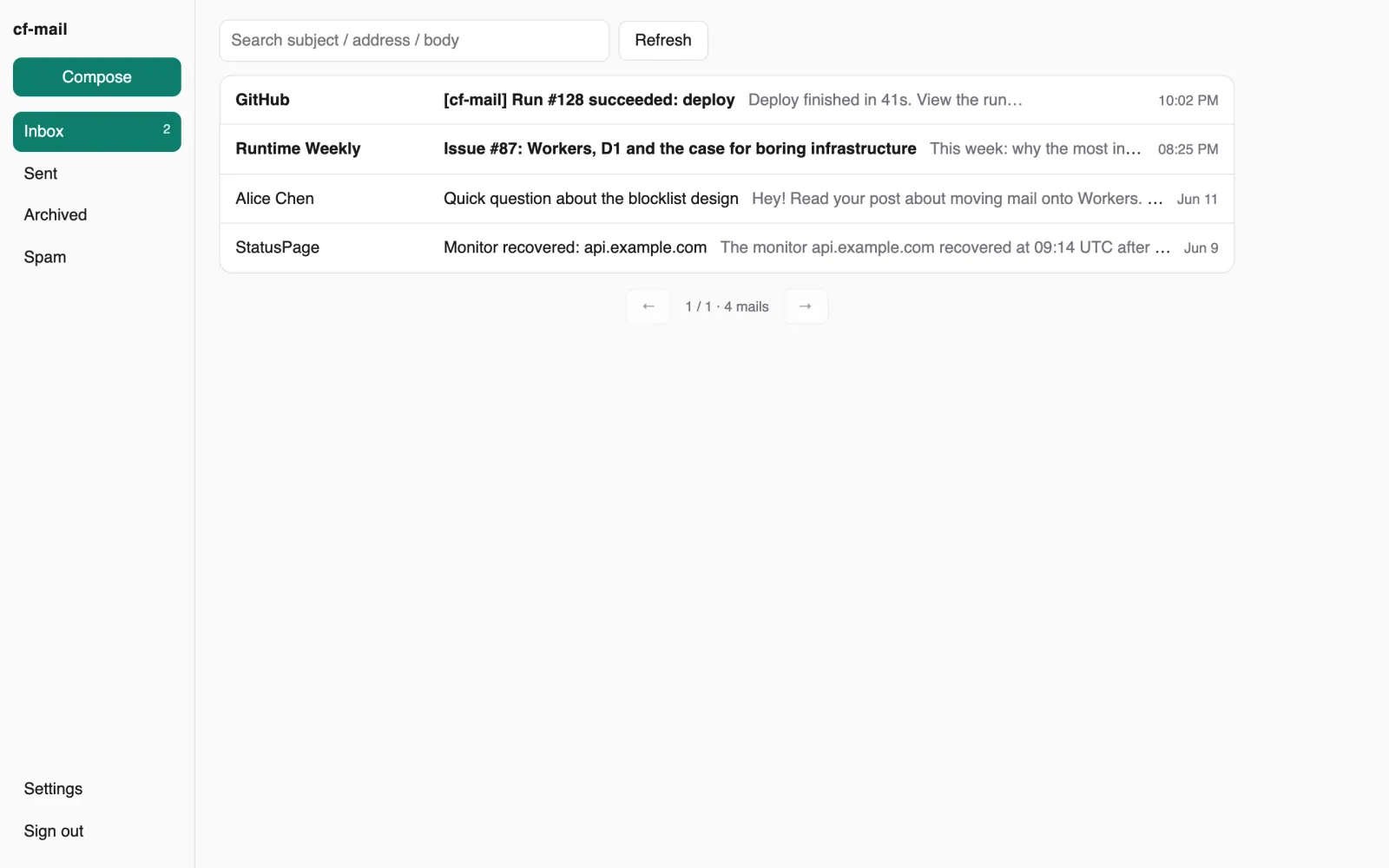
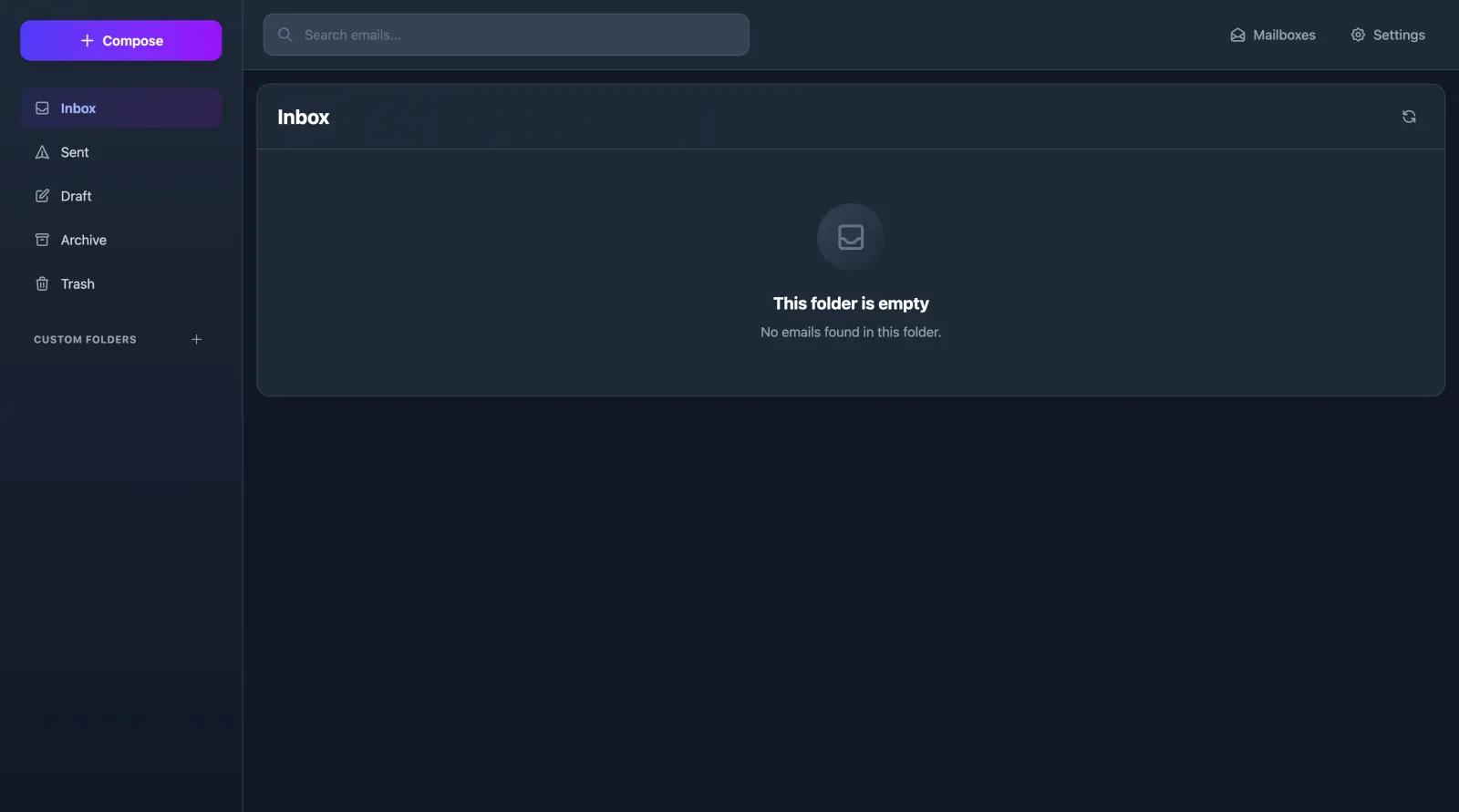
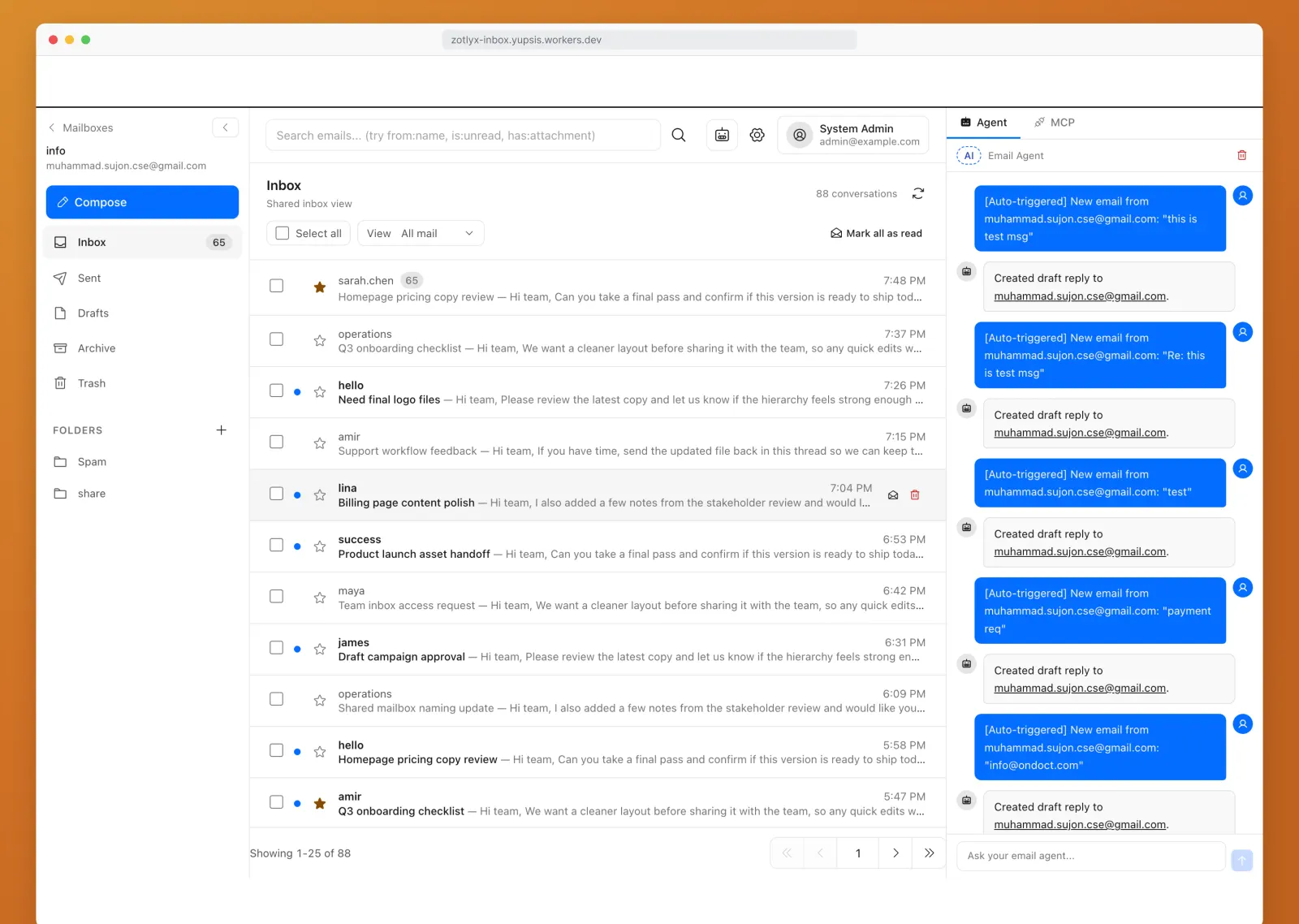
Several more Worker inboxes are current and real. They belong on a complete list even if they are not the default recommendation. Screenshots below are the ones those projects actually publish. QuickMail and cloudflare-mail (Newspicel) do not ship a public inbox screenshot.
- cf-mail: one Worker, D1, R2, a built-in web client, Web Push, and APNs for an iOS app you still have to build. Honest about no IMAP.
- cloudflare-mail (Newspicel): Gmail-shaped React client, Better Auth, D1 + R2, Email Sending, SSE fan-out. Self-host, Gmail muscle memory. No published inbox screenshot.
- Email Explorer: Hono + Durable Objects + R2 webmail on Email Routing and Email Sending. Deploy-to-Cloudflare style.
- QuickMail: self-hosted webmail with a provider switch — Resend by default, or Cloudflare Email if the zone is already on Cloudflare DNS. No published inbox screenshot.
- Zotlyx Inbox: shared team mailbox (info@, support@) with RBAC, realtime updates, and a Workers AI drafting agent. Self-host for shared inboxes, not a personal daily driver.
What is not a Cloudflare email client
Cloudflare Email Routing, the dashboard, and Email Workers are infrastructure. They decide where a message goes. They do not give you unread state, search, drafts, or a sent folder.
Forwarding into Gmail, Proton, Fastmail, or Outlook makes those products the client. The Cloudflare part is a pipe. Apple Mail, Thunderbird, and Outlook are excellent IMAP/Exchange apps; they are Cloudflare email clients only if something in front of them (Postern, or a real IMAP host) speaks those protocols. Most Email Routing setups do not.
How to choose — and why FlareMail is the one you live in
Self-host if you want the bits in your account and you will operate them: Mailflare for a complete mailbox, Agentic Inbox if you want Cloudflare’s AI reference, Postern if you need IMAP or MCP, Doota if encryption-at-rest is the point, Zotlyx if the mailbox is shared support mail. Those are good tools. They are also projects.
Pick FlareMail when the job is mail, not a deploy. It is the hosted Cloudflare email client: Routing in, a real inbox, send from your domain, first three domains free. It is also the only one on this list that ships an iOS companion, so the same inbox is on the phone without IMAP, without Access in a mobile Safari tab, and without writing an APNs client. That is the unglamorous reason it wins as a daily driver.
A list of clients is only useful if one of them is a real inbox for Cloudflare Email Routing you can open today.
FlareMail is free for your first three domains. Pro is $10/month for 12 domains, then $1 per extra domain. Agency is $60/month unlimited.
Create free account
Sources and context
- Cloudflare Email Service routes incoming emails to custom addresses, Workers, or external destinations.
- Cloudflare routing rules can send mail to an email address, send it to a Worker, or drop it.
- Cloudflare Workers can send email through send_email bindings.
- Cloudflare documents sending and routing as related but separate email setup paths.
- Cloudflare Email Routing can route mail to Workers for custom handling.
FAQ
Is Cloudflare Email Routing itself an email client?
No. Routing is the inbound pipe. A client is the app where you read, search, reply, and send.
What Cloudflare email clients exist today?
A hosted product (FlareMail), Cloudflare’s own Agentic Inbox reference app, and several self-hosted Worker inboxes: Mailflare, Postern, Doota, Reccado, cf-mail, cloudflare-mail, Email Explorer, QuickMail, and Zotlyx Inbox.
Which Cloudflare email client has an iOS app?
FlareMail ships an iOS companion for the same hosted inbox. Self-hosted options are web UIs; a few expose IMAP or APNs so you can wire Apple Mail or build your own phone app.
Should I self-host a Cloudflare inbox?
Yes if you want mail stored only in your account and you are willing to operate Workers, D1, R2, Email Routing, and sending. If you want mail without becoming the on-call, use a hosted client.
How much does FlareMail cost?
First three domains are free; Pro is $10/month for 12 domains; Agency is $60/month unlimited.
Three domains free. Pro is $10/month for 12 domains, then $1 per extra domain. Agency is $60/month unlimited.
Create free account